Table of contents
Open Table of contents
Introduction
Over the past two years, I’ve been tinkering with a small but powerful homelab. What started as a way to learn Proxmox and self-hosting has grown into something that feels like a mini data center spread across two continents.
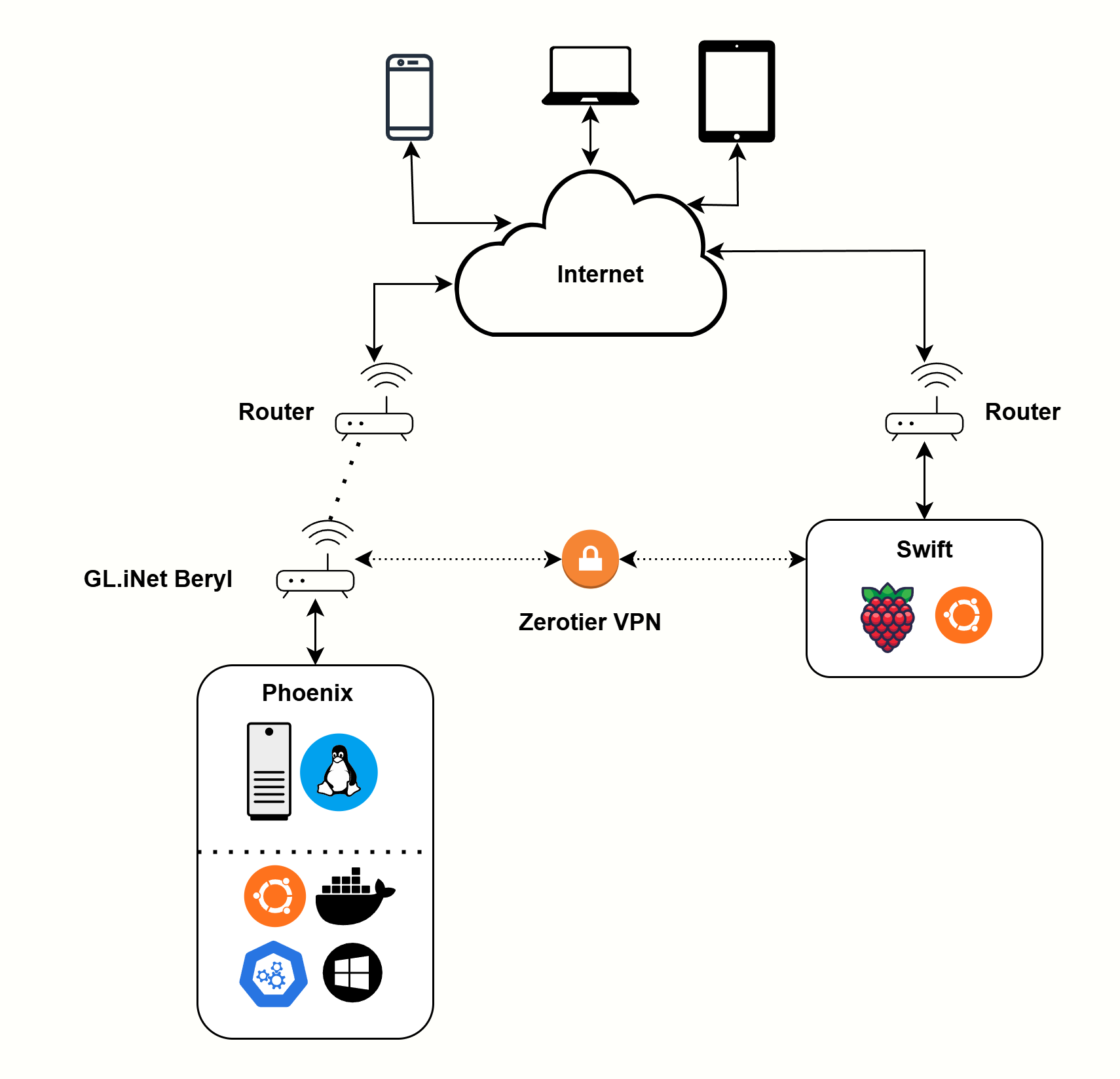
The Hardware
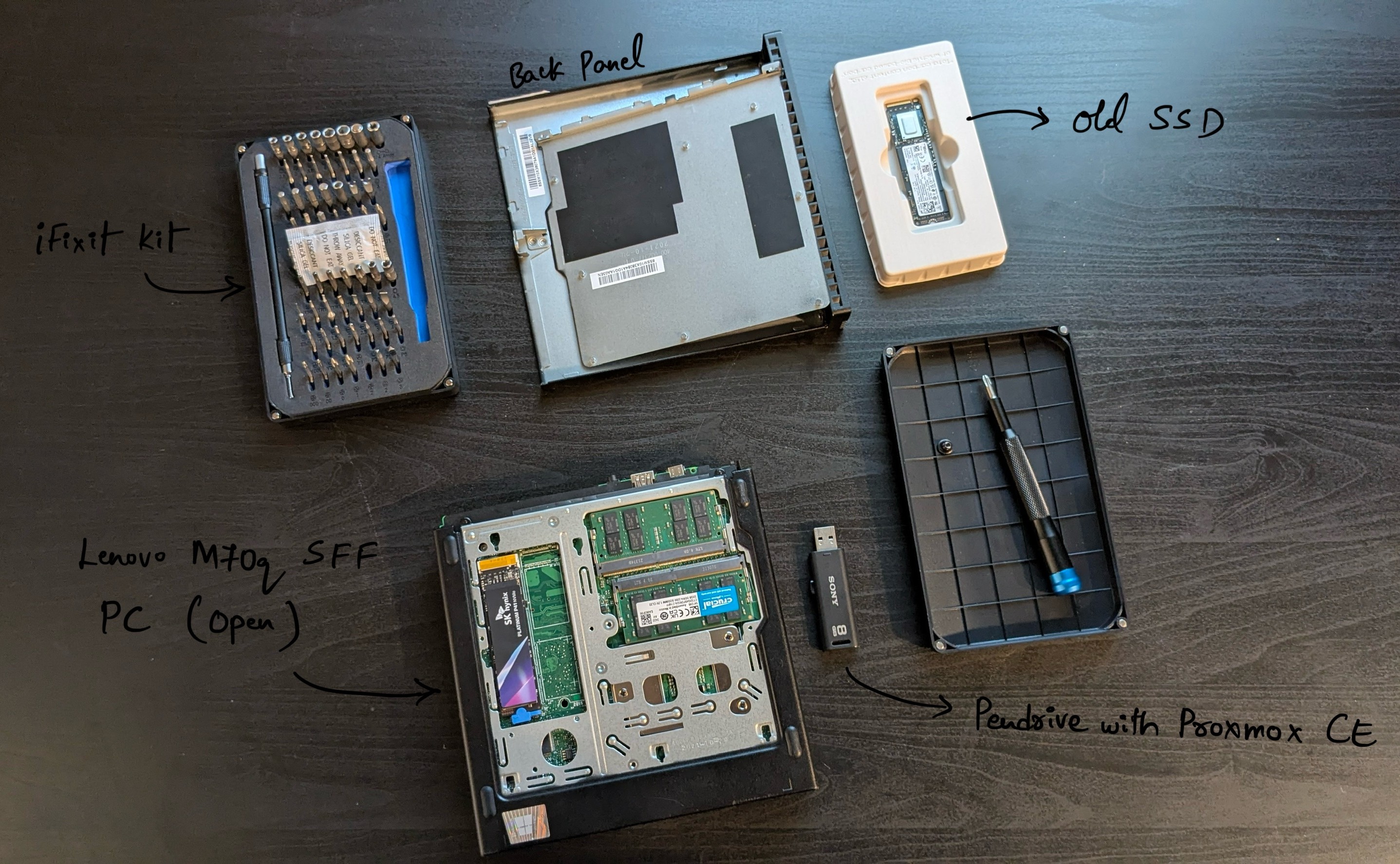
At the heart of my lab is a Lenovo ThinkCentre M70q Tiny. Don’t let the size fool you — this small form factor (SFF) PC is a powerhouse:
- Intel i5-10400T (12 vCPUs with hyperthreading)
- 2 × 32 GB DDR4 3200 MHz Crucial RAM
- 2 TB NVMe SSD (recently upgraded, check the photo)
- Realtek 2.5 Gbps NIC (replacing the Wi-Fi card for extra Ethernet and 2.5 Gbps support)
- Proxmox Community Edition
Since I’m on community Wi-Fi, I pair it with a GL.iNet Beryl router in repeater mode. The router bridges Wi-Fi → Ethernet, giving me 2.5 Gbps link (after some config tweaks) and a 1 Gbps direct link into the M70q.
Alongside the M70q, I also run a Raspberry Pi 5 located in India:
- 4 GB RAM
- 256 GB SanDisk SD card
- Ubuntu Server
- Runs Jellyfin, Squid Proxy, and a few lightweight services
The Virtualization Layer
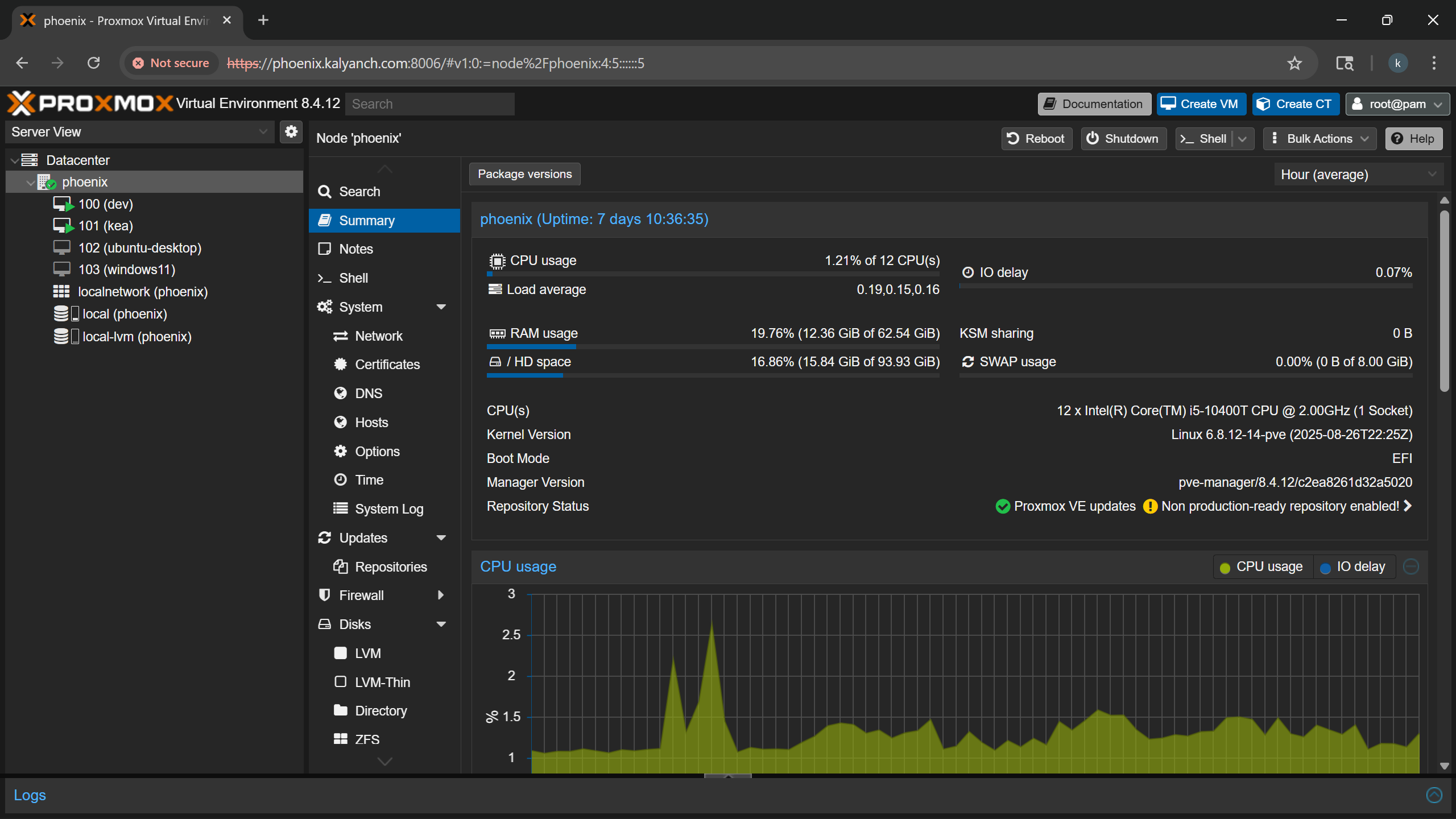
The M70q runs Proxmox VE (codename: Phoenix) and hosts multiple VMs:
dev (Ubuntu Server): my development system.hbox (Kali Linux): for pentesting and CTFs.kea (K3s k8s VM): runs my MedVoyage project, provides internal storage, and other small services.Windows 11 VM: a sandbox for testing apps like Power BI.test (Docker VM): where I run tools like n8n for workflow automation and soon Immich for photo management. Once stable, I plan to migrate these workloads onto k3s.
On the Pi (Swift), services are streamlined using Nginx reverse proxy with URLs like:
<domain>/<service>/<path>This makes services neat and avoids port clutter. I also use a similar reverse proxy on kea.
Networking Across Continents
Here’s where it gets fun. I use ZeroTier to stitch everything together into one virtual LAN:
- Both Phoenix (M70q in the US) and Swift (Raspberry Pi in India) sit on the same ZeroTier network.
- My phone, iPad, and laptop also connect, so I can access my services wherever I am.
- To access India-only content, I connect via ZeroTier and then route through my Squid Proxy on the Pi.
This way, my Jellyfin library in India feels local even when I’m in the US.
Naming and Access Control
I give my servers and services meaningful names:
- Phoenix → Proxmox host
- Dev → development server
- Test → temporary/scratch VMs
- Swift → Raspberry Pi 5
For external access, I rely heavily on Cloudflare:
- Domain and DNS management for kalyanch.com
- Cloudflare Tunnels (cloudflared) for services behind CGNAT (like MedVoyage) (and cloudflare does collect some data in here)
- Analytics and firewall rules
- Internal/private services mapped only to ZeroTier NAT IPs for restricted access
This setup isn’t just for fun, it’s practical too. For example, I can stream India-only content while abroad, SSH into the Pi as if it’s on my desk, or even sync Jellyfin media libraries across both servers without complicated port forwarding. ZeroTier makes the whole experience seamless, almost like I’m plugged into a local LAN, no matter where I am.
Projects and Services
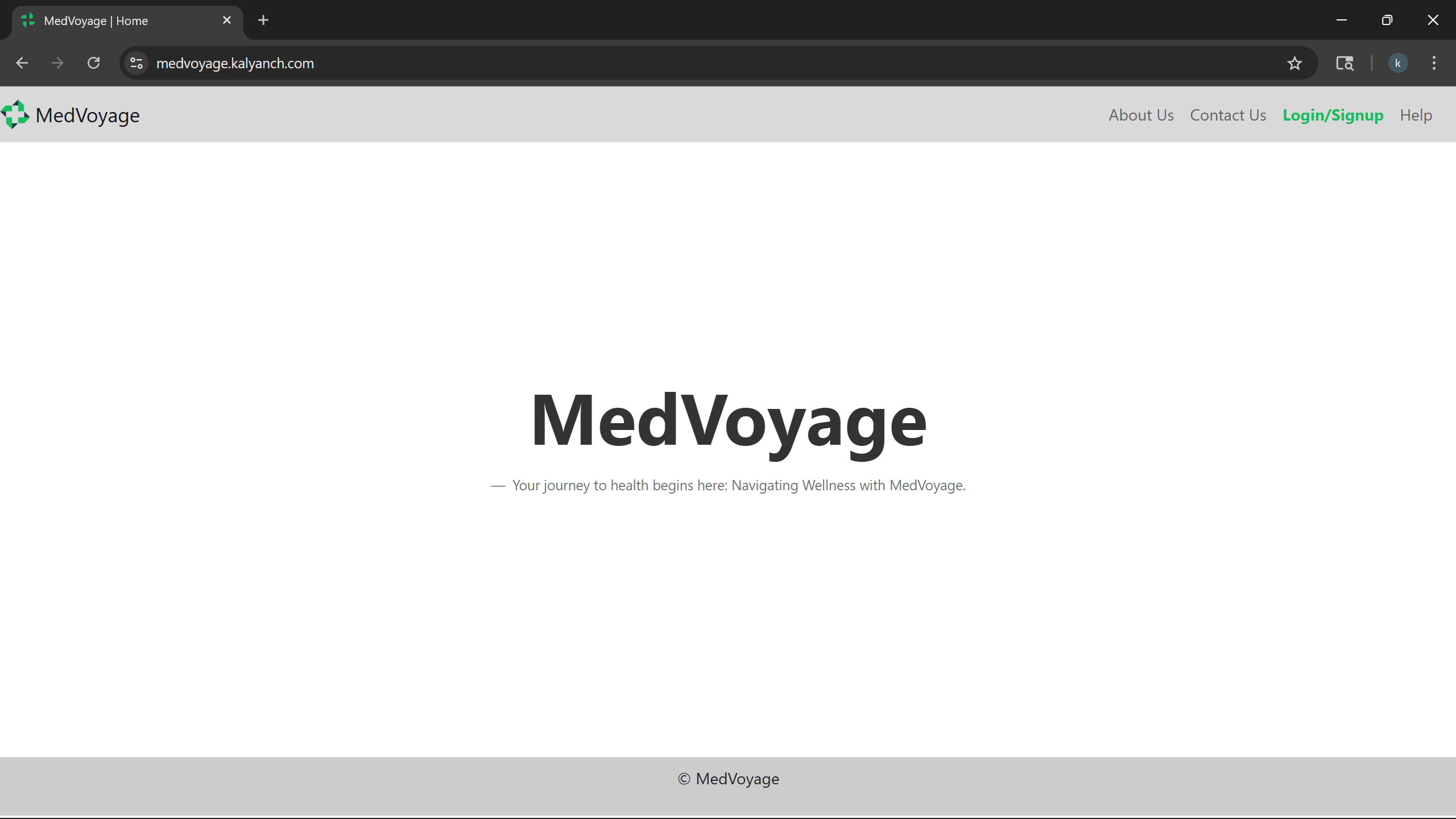
Some of the workloads currently running:
- MedVoyage → appointment booking web app, deployed on k3s, accessible via Cloudflare Tunnel.
- n8n → local workflow automation (also featured in a previous post).
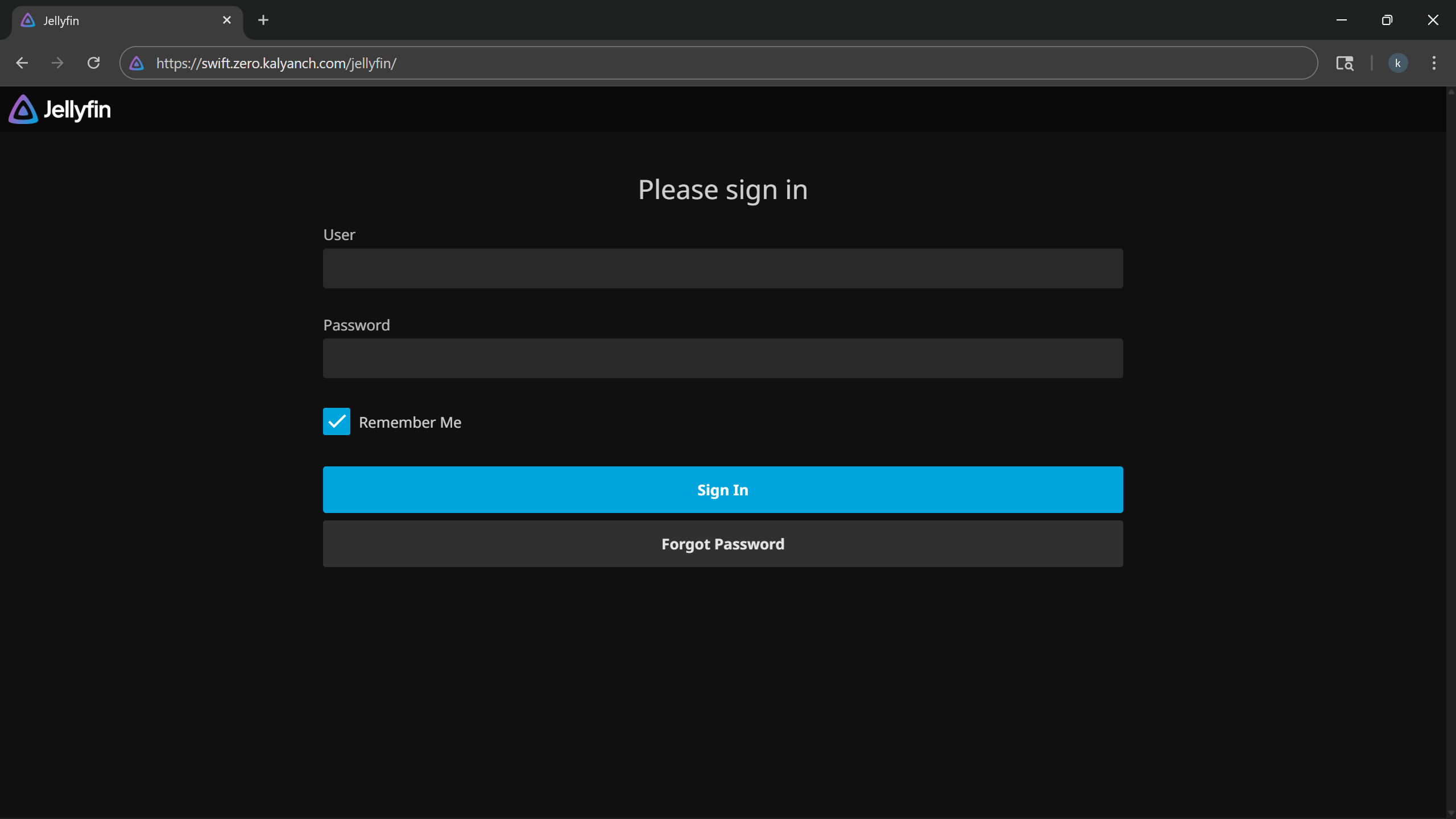
- Jellyfin → personal media server on Swift.
- Squid Proxy → Proxy for region-specific browsing.
- Kali VM → for CTFs and pentesting practice.
- Windows Sandbox VM → for experiments like Power BI installs.
Future Plans
I don’t plan to stop here. On my roadmap:
- LLM inference node → For now, I’m using my Zephyrus G14 (RTX 2060 Max-Q) with LMStudio, might replace it with a Framework Desktop or Mac Mini, depending on budget.
- OPNsense router VM → for more advanced firewalling and routing (need good Intel NICs first).
- Immich → self-hosted photo backup solution.
I’m always careful not to over-budget, but homelabbing is a hobby that rewards incremental upgrades.
Closing Thoughts
This homelab started as a small Proxmox box, but with some upgrades, ZeroTier, and Cloudflare, it’s now a globally connected, multi-service setup. It powers my projects, my experiments, and even my entertainment.
It’s still evolving, and that’s the best part of running a homelab — you’re never really done. And If you’re running a homelab too, I’d love to hear how you’ve set yours up. The best part of homelabing is sharing ideas and learning from each other.
👉 Want to know more? I left out some details (like Cloudflare Tunnels and reverse proxying) on purpose to keep this post focused. If you’d like me to dive deeper into those or other parts of my setup, let me know - I’d be happy to write a follow-up or just chat about it.